Barcodes for Shopify & Shopify POS
Do You Need a UPC for Every Shopify Product?
Whether or not you need a UPC for your Shopify products depends on where and how you sell. UPCs are not always required, but in some cases, they are essential for listing products or enabling barcode scanning at checkout.
When You Do Not Need a UPC
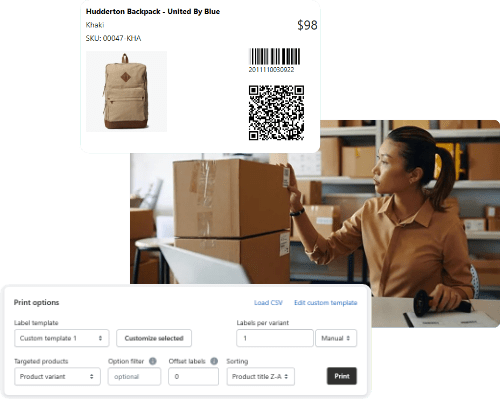
If you sell only through your own Shopify store and manage fulfillment yourself, you can rely entirely on internal identifiers like SKUs and custom barcodes. In this case, a UPC is optional. Shopify allows you to enter any barcode value in the product setup, and many stores use custom codes such as Code 128 barcodes tied to internal SKUs.
Internal-only stores benefit from flexibility. You can structure your SKUs however you like, and use SKUGen to assign readable, unique codes to each product or variant. These can then be converted into barcodes for label printing, shelf tags, or warehouse scanning.
When You Do Need a UPC
You will need a UPC or GTIN if you plan to sell through:
- Online marketplaces like Amazon, Walmart, or Google Shopping
- Retail chains or distributors that require standardized identifiers
- Shopify POS systems that rely on scannable codes tied to GTINs
In these cases, you must use globally recognized barcode formats. UPC-A (12 digits) and EAN-13 (13 digits) are the most common. These codes must be registered and assigned through an official provider, such as GS1, to avoid duplication or conflicts.
Shopify will often flag listings missing a valid barcode when connecting to sales channels that require GTINs. Without a UPC, your product may be rejected from those platforms or display with limited visibility.
Best Practices for Shopify Stores
Even if you don’t need UPCs for every product, it’s smart to:
- Assign a unique SKU to every product and variant
- Use internal barcodes for fast picking and labeling
- Apply UPCs only where required by external channels
SKUGen helps Shopify merchants organize SKUs and assign internal barcodes that are consistent across variants. This makes it easy to label products and manage inventory without needing UPCs unless absolutely required.

Want to learn more?
Below are expert guides on key topics every Shopify merchant should understand
- SKUGen for Shopify: SKU Format Rules, Examples, and Bulk Setup
- Set Up a SKU Format That Works for Variants
- What Needs to Be on a Retail Shelf Label
- SKU vs UPC: What’s the Difference and Which Should You Use?
- UPC-A vs EAN-13: Which Barcode Format Should You Use?
- What Is Code 128 and When Should You Use It Instead of UPC?